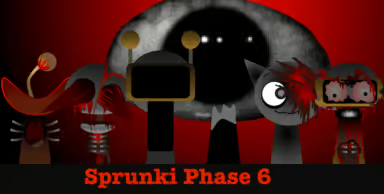
About Sprunki Phase 6
Sprunki Phase 6 is a Sprunki music-mixing variant. Use the embedded player to combine sounds represented by characters. Phase names are used by different fan projects, so two games with the same phase number may have different artwork or audio. Follow the controls visible in this version.
What to expect
- Character-based sound mixing.
- Loops that can be combined in different arrangements.
- Browser play through the embedded player.
- Visuals and controls specific to this fan version.
How to play Sprunki Phase 6
- Wait for the game to load and use its start control.
- Drag a sound icon onto a character slot.
- Start with one rhythm, then add a melody or effect.
- Use the in-game remove or reset controls to change the arrangement.
Mixing tips
Try two or three sounds before filling the stage. Keep one loop playing while replacing another to hear the difference. Some Sprunki variants contain horror imagery.
Help and controls
Click inside the player if sound has not started, and check the tab volume. Use the fullscreen button for more space. Recording, sharing and touch controls vary by mod; use them only when the embedded game provides them.